Phosphor / Apple TV

The whole room, made visible.

Phosphor Stage turns your Apple TV into a screen that moves with your music. Link it to Phosphor on your Mac, or play your own files straight from the TV. Free. No account, no subscription.

Two sources

Your Mac, or your music.

Available only from the App Store on Apple TV. Open it on your TV and search Phosphor Stage.

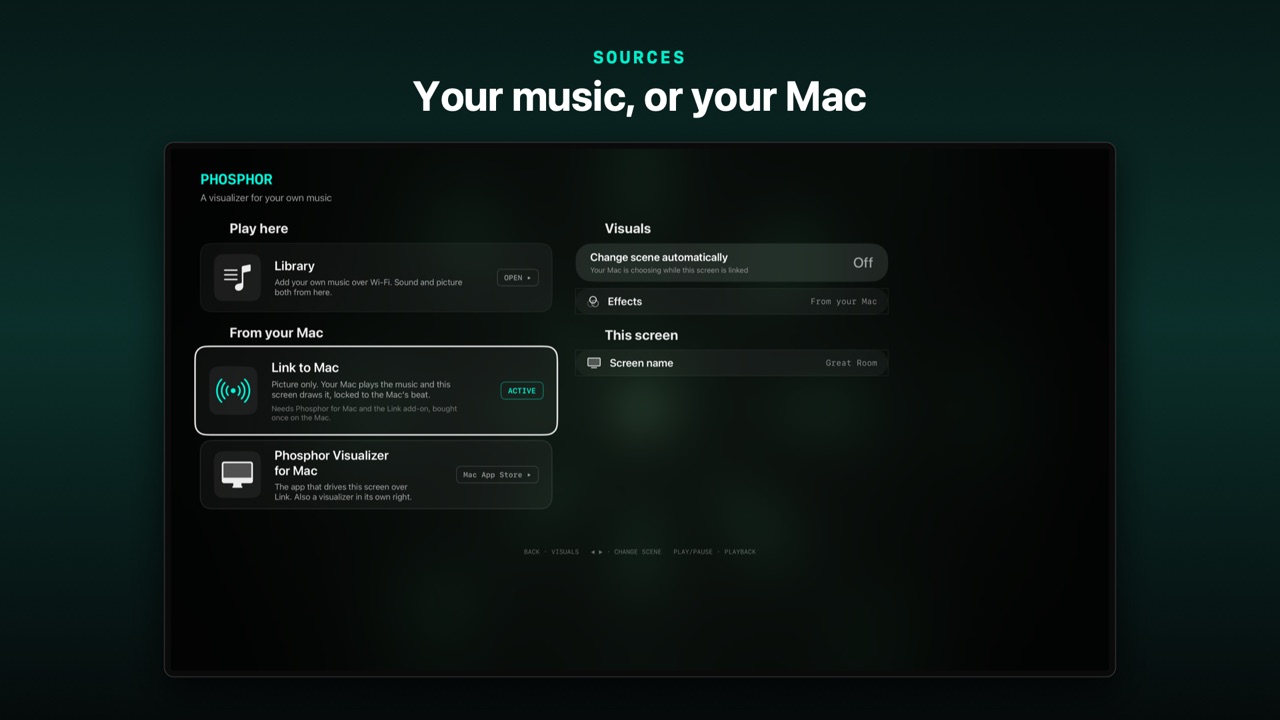
Phosphor Stage's source menu with Link to Mac active
01 · Link your Mac

Every screen, one beat.

Phosphor on your Mac listens to whatever is playing. Every Apple TV running Stage draws the scene itself at full resolution, locked to the Mac’s beat. One screen or a wall of them.

Picture only. The sound stays on your Mac. Needs Phosphor for Mac ($6.99) and the Phosphor Link add-on ($9.99).
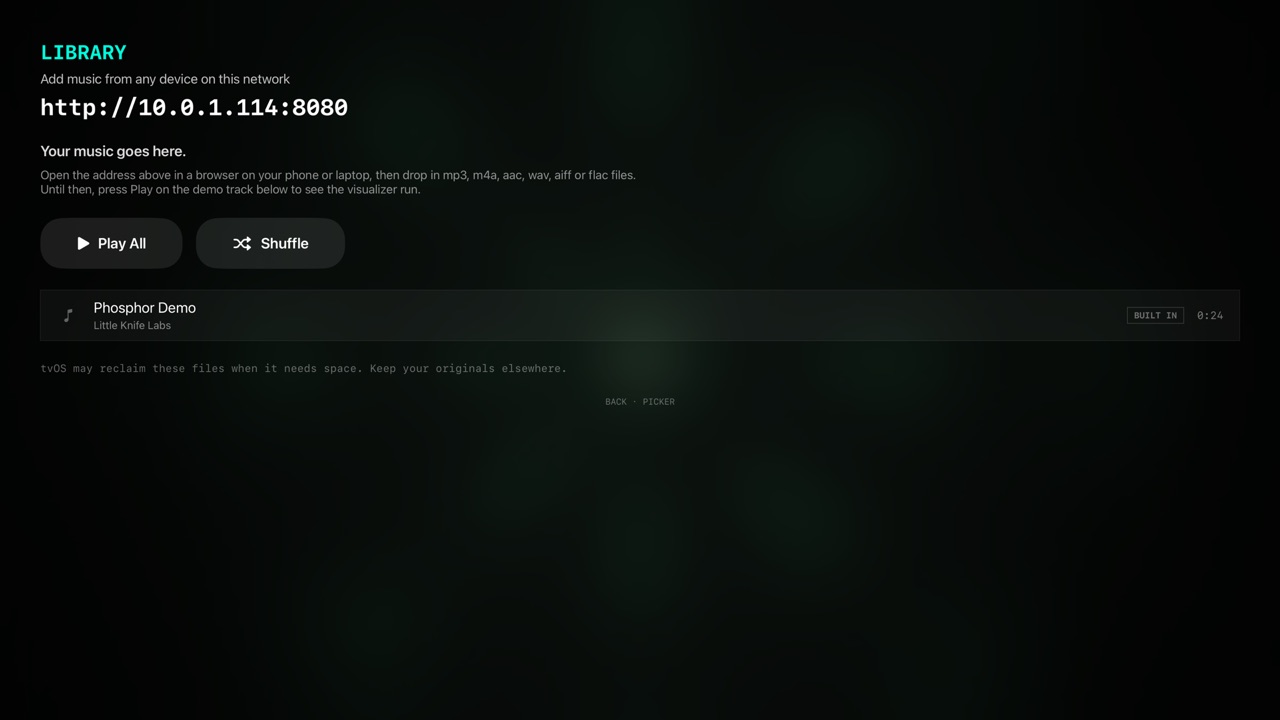

Phosphor Stage's library screen showing the upload address
02 · Your own music

No Mac needed.

Open the address Stage shows you in any browser on the same Wi-Fi, drop in your files, and they play from the Apple TV. MP3, M4A, AAC, WAV, AIFF and FLAC.

A demo track is built in, so it plays the moment you install it.

Built for the room

Lean back. It keeps going.

Chrome fades outJust the visuals, seconds after you press play
Screensaver stays offWhile the show is running
Siri RemoteSwipe to change scene
Effects on the remoteCRT, bloom, kaleidoscope, glitch and more
Background audioYour music keeps playing
Nothing autoplaysIt waits for you to press play
No internetNo accounts, ads or tracking
tvOS 18 or laterApple TV 4K recommended

Your files stay on your Apple TV and Link never leaves your local network. Phosphor Stage privacy policy →

FAQ

Common questions.

Is Phosphor Stage free?

Yes, with no in-app purchases. Playing your own music on the Apple TV costs nothing. Linking it to a Mac needs Phosphor for Mac ($6.99) and the Phosphor Link add-on ($9.99, one time), bought inside the Mac app.

Does the Apple TV play my music when it is linked?

No. Link sends the Mac’s analysis of the music, never the music itself. The sound keeps playing from your Mac and its speakers, and the TV draws the picture.

Why doesn’t the Apple TV listen for itself?

tvOS doesn’t let one app hear what another app is playing, so a visualizer on the Apple TV can’t listen to Apple Music, Spotify or anything else on it. Your Mac can. Phosphor on the Mac does the listening and tells every screen what it hears, which is why Link needs a Mac and why the sound stays there. When Stage plays your own files, it hears them directly, so that mode needs no Mac.

Can I AirPlay my Mac’s sound to the same Apple TV?

No. Sending the Mac’s sound away to AirPlay takes it out of what Phosphor can hear, and the visuals go quiet. Play the sound from the Mac or speakers connected to it.

How many Apple TVs can one Mac drive?

Any number on the same local network. Each one draws the scene itself at its own resolution, locked to the same beat.

The picture runs ahead of my speakers.

Bluetooth speakers and long cable runs reach the room late. Use the DELAY slider in Phosphor’s LINK settings on the Mac to hold the picture back by up to three seconds.

Do I need a Mac?

No. Open the address Stage shows you in any browser on the same Wi-Fi and drop in MP3, M4A, AAC, WAV, AIFF or FLAC files. They play from the Apple TV. A demo track is included.

Does it work over the internet?

No. Link and the upload page work on your local network only, and Stage makes no internet connections at all.

FREE · APPLE TV · TVOS 18+

Put it on the big screen.

Search Phosphor Stage in the App Store on your Apple TV.